
Version 3.19 · Free for Windows 10 & 11
A VALORANT tracker that stays out of your way.
See every player's rank, peak and recent form in agent select, open the scoreboard over the game with Alt+T, and check your profile, matches and daily store — in one small app that updates itself.

What's inside
- Live match
- Rank, peak, K/D and recent form for all 10 players, in agent select and during the match.
- Alt+T overlay
- The scoreboard on top of the game. The hotkey is configurable and your camera stays still while it's open.
- Duos and premades
- A colored bar marks players who queued together, on both teams.
- Profiles and history
- Current and peak rank with RR, K/D, HS%, agents, maps, RR per match and MVP badges.
- Daily store
- Today's skins and bundles with prices, the rotation timer and skin videos.
- Crosshairs
- Ready-made crosshair codes to copy into the game.
- Discord status
- Map, agent and live score on your Discord profile, only while you're playing.
- Automatic updates
- Install once. New versions show up in the app and install with one click. Every update is signed.
- 7 languages
- English, Português, Español, Français, Deutsch, Türkçe and Русский.
Screens
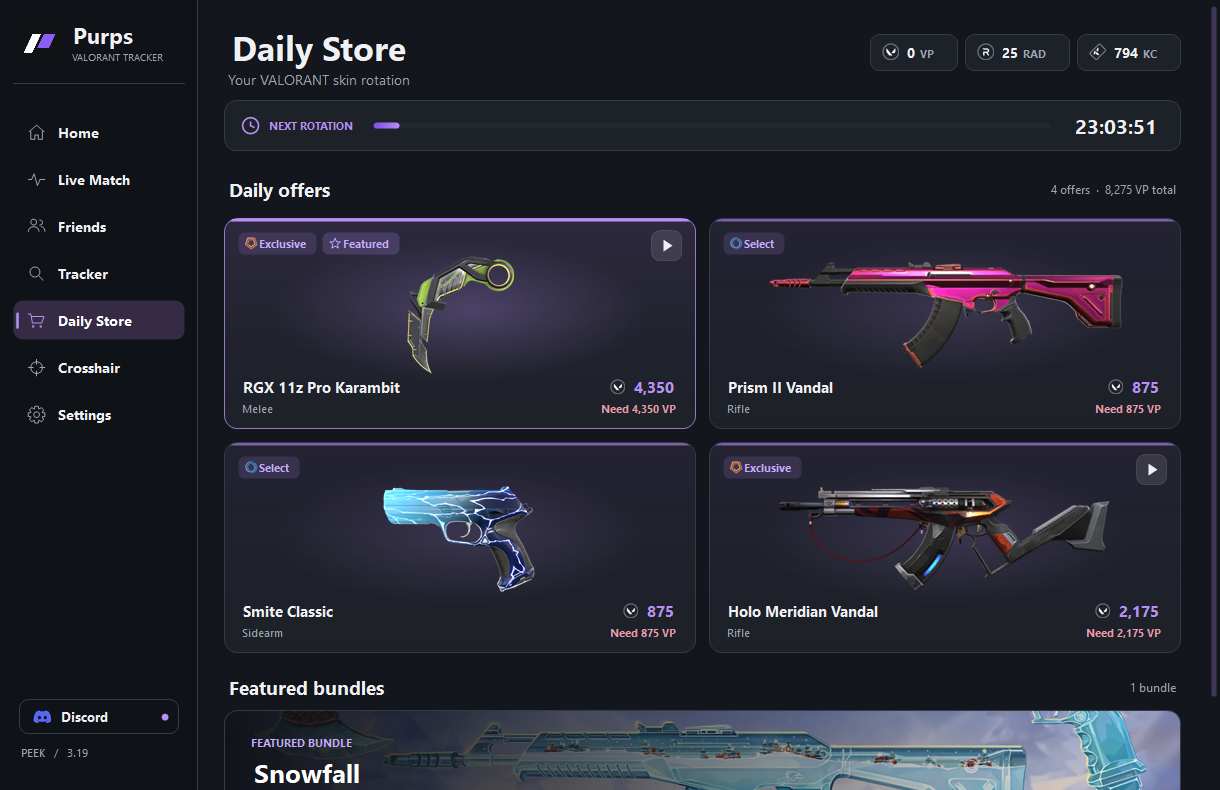
Click a skin with ▶ to watch its video, like in the app.
Install
-
Download
Get purps-Setup.msi and open it.
-
Install
If Windows shows “Windows protected your PC”, click More info, then Run anyway.
-
Sign in to Riot Client
purps reads your profile, store and matches from it. No password or token to paste.
FAQ
Can I get banned for using purps?
purps doesn't touch the game. It injects nothing into VALORANT and doesn't read its memory; it only uses the data Riot Client already exposes on your PC, like other trackers.
Does the overlay work in fullscreen?
It works in Windowed Fullscreen. In exclusive Fullscreen, Windows doesn't allow any window on top of the game, so purps tells you and you can use the Live Match screen instead.
Do I need to download it again for new versions?
No. When an update is ready, an “Update ready” card appears in the app. One click and it updates and reopens.
Can it start with Windows?
Yes, turn on Start with Windows in Settings. purps waits in the tray without opening a window.
What do I need?
Windows 10 or 11 with .NET Framework 4.8 (included in an up-to-date Windows) and Riot Client.